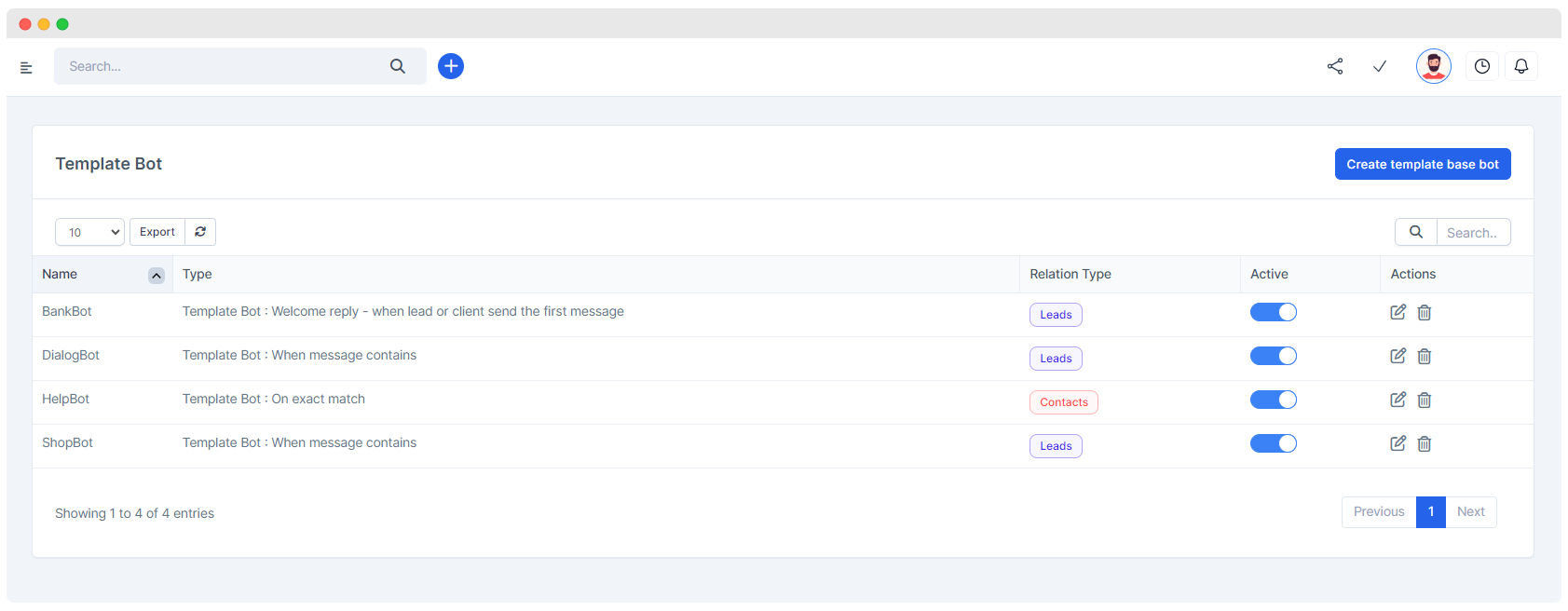
A template bot is a pre-configured chatbot that uses predefined templates to automate responses and interactions. These bots are designed to handle specific tasks, such as sending promotional messages, providing customer support, or delivering notifications.
create new template bot
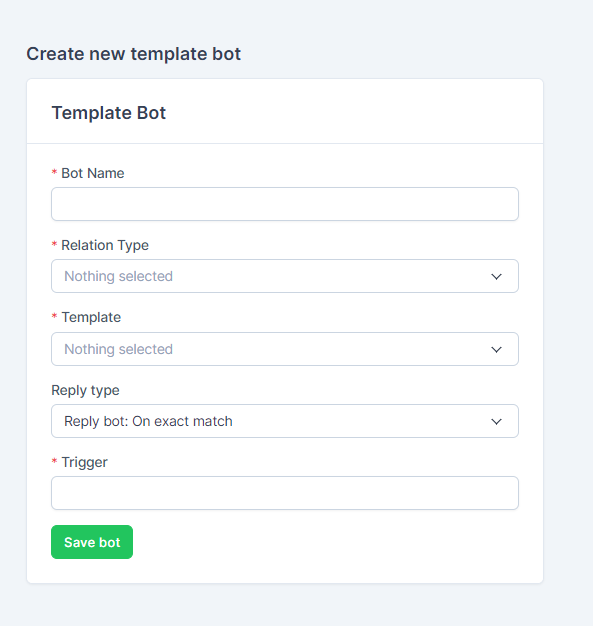
Bot Name
- Field:
Bot Name - Description: Enter a unique name for your bot. This name will help you identify the bot later.
- Example:
Promo Offer Bot
Relation Type
- Field:
Relation Type - Description: Select the type of relationship this bot will handle. This could be related to customers or leads.
- Example:
Customers
Template
-
Field:
Template -
Description: Choose a predefined template for the bot. This template will determine the structure and content of the bot's responses.
-
Example:
Promotional Offer TemplateTIP 💡
Templates will be sourced from Meta WhatsApp cloud api account.
Reply Type
- Field:
Reply type - Description: Specify how the bot will reply. The default option is "Reply bot: On exact match," which means the bot will respond when it receives an exact keyword match.
- Example: This can remain as
Reply bot: On exact match.
Trigger
- Field:
Trigger - Description: Enter the keyword or phrase that will trigger the bot to respond. When this keyword is detected in a message, the bot will activate.
- Example:
promo
Save Bot
- Button:
Save bot - Description: After filling in all the fields, click this button to save and activate your new template bot.
variables & preview
Set Dynamic Variables:
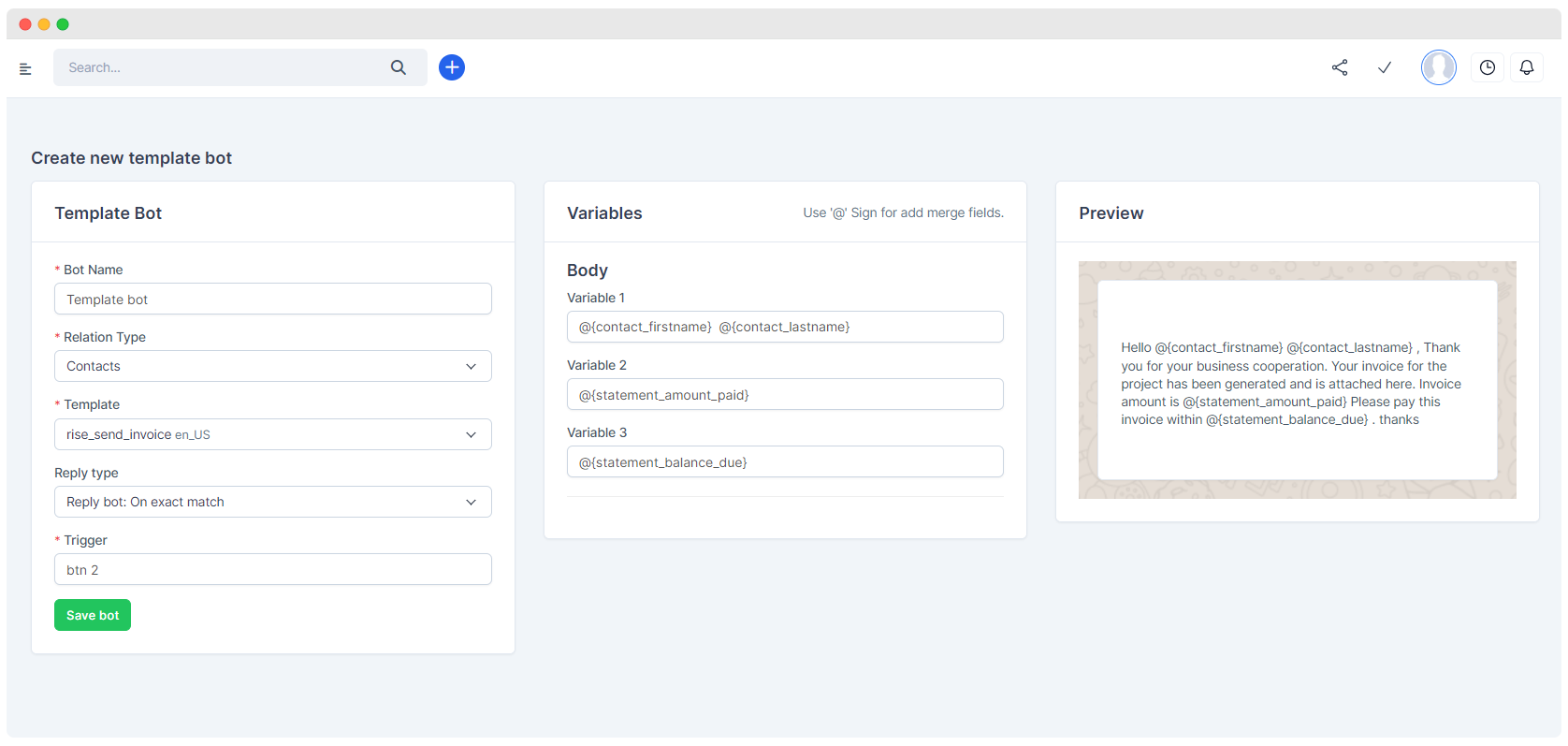
- After pressing the "Save bot" button, based on the template structure the dynamic merge fields will automatically be displayed.
- You can set these fields by pressing the "@" sign.
Preview:
- You can also preview how the bot content will be displayed in the "Preview" section.
- Field:
By following these steps, you can easily set up and configure a template bot to handle specific interactions based on the criteria you have defined.