The AI Integration feature allows users to enhance their Chearaan-Whats experience by integrating AI capabilities such as language translation, tone adjustments, and grammar corrections. This feature leverages various OpenAI models, providing a range of options to tailor the AI's behavior according to your needs.
🚀 Steps to Set Up AI Integration
1. 🛠️ Navigate to AI Integration
Go to the AI Integration tab within the WhatsBot module settings.
2. 🔑 Enter OpenAI Secret Key
Input your OpenAI Secret Key in the provided field.
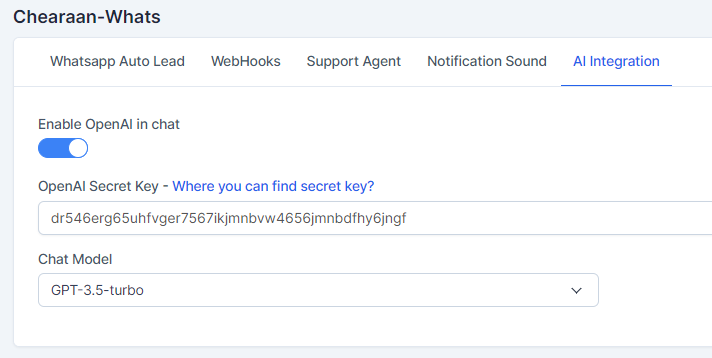
(Note: You can find your secret key from your OpenAI account.)
3. 🎛️ Select the Chat Model
Choose the desired Chat Model from the dropdown menu. The available models include:
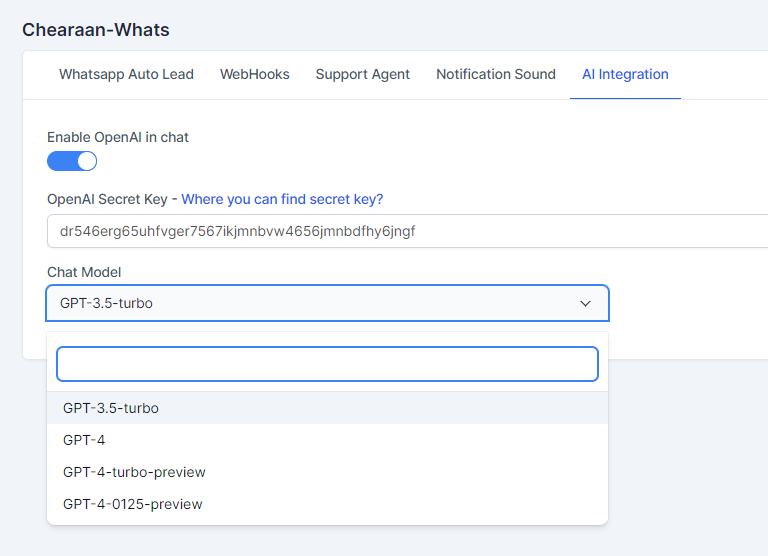
- GPT-3.5-turbo: A highly capable model for most conversational AI tasks.
- GPT-4: An advanced model with improved reasoning and understanding.
- GPT-4-vision-preview: A specialized model with capabilities for processing visual inputs (preview version).
- GPT-4-turbo-preview: A faster variant of GPT-4 with optimized performance (preview version).
- GPT-4-0125-preview: Another preview model with specialized enhancements.
🛠️ AI Features Available
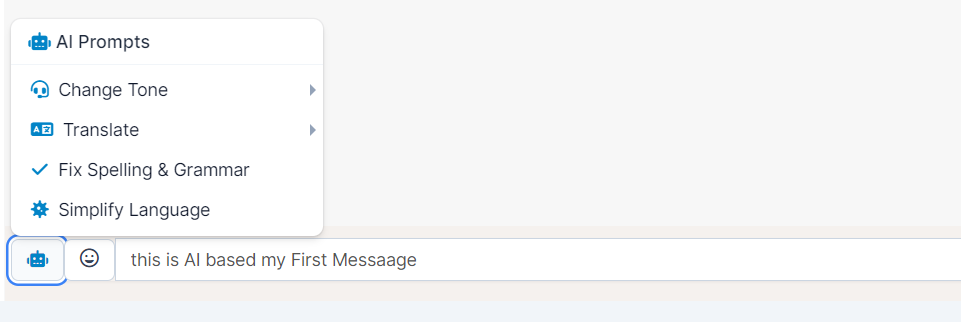
- 📝 Change Tone: Adjust the tone of your message to fit different contexts. Available tones include:
- Professional 🎓
- Friendly 😊
- Empathetic 🤗
- Straightforward 💼
- 🌐 Translate: Translate your message into various languages, such as Arabic, Chinese, French, etc.
- 🔤 Fix Spelling & Grammar: Automatically corrects any spelling or grammatical errors in your message.
- 🔍 Simplify Language: Simplifies complex language to make your message more understandable.
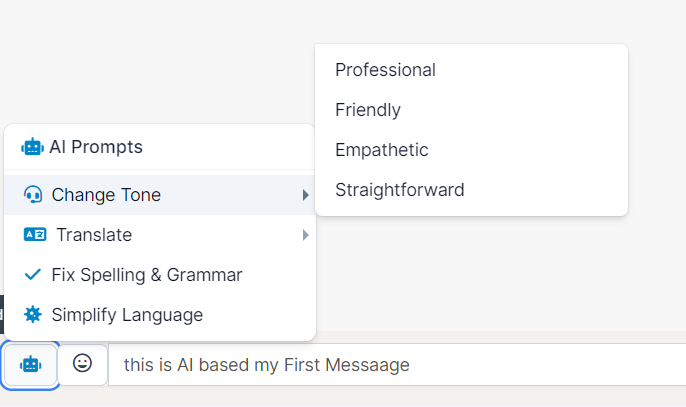
💡 Usage Example with
- Type your message in the chat input field.
- Click on the AI Prompt icon (represented by a 🤖 icon).
- Choose the desired AI feature from the dropdown menu.
- The AI will process your message according to the selected feature and the selected AI model, and the updated text will appear in the input field.
📊 Selecting the Right AI Model
- If you need basic conversational support, GPT-3.5-turbo is sufficient.
- For more complex interactions or advanced understanding, GPT-4 is recommended.
- If you are working with visual content, consider using GPT-4-vision-preview.
- For performance-critical applications, GPT-4-turbo-preview offers a faster response time.