In Accentra task can be easily copied to be re-used and save valuable time creating each task again and again.
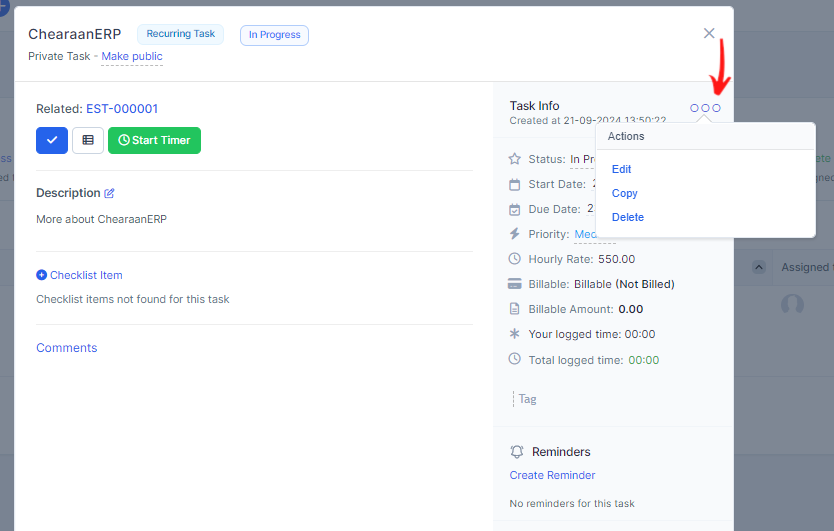
While the task modal is opened on the top right area click on the 3 dots icon.
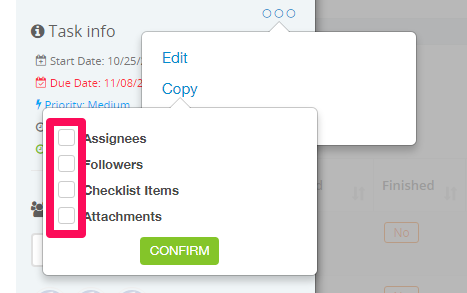
Additionally by the regular task data you can copy assigne's, followers, attachments and checklist items.
If any of the them exists in this task will be shown as checkbox items to check/uncheck while copying the task.
Make sure if you are copy recurring task to re-check the task data in the edit area to prevent repeating twice because the task from where you are copying is already recurring.