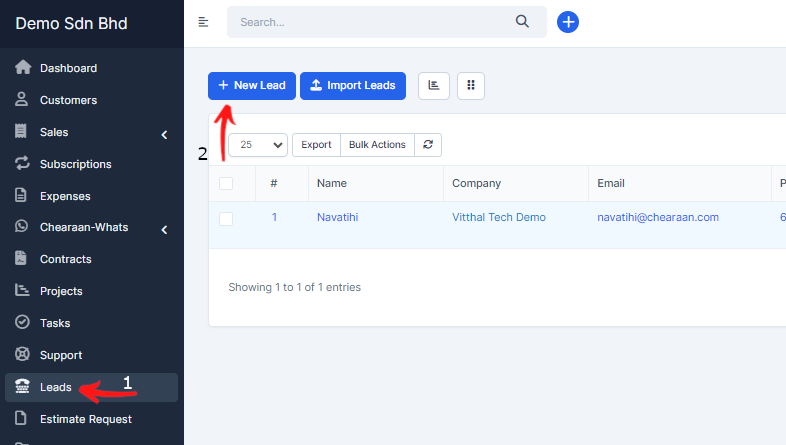
- Navigate to leads view from the main menu on the left side and click on the button new lead.
- You can also for quick approach add from the Quick Create menu by clicking on the top left caret and click New Lead, a modal will be open on whatever page you are inside Accentra.
- If you mark the lead public will be visible to all staff members, otherwise will be visible to the assigned member, creator, and administrators. Additionally if you want some specific staff member to see all the leads you can add permissions view, click here to read more about leads permissions.
- Leads can create all all staff members, staff members that are not admins will be able to see the leads on the following cases:
- If lead is created from the staff member itself.
- If lead is marked is public.
- If lead is not created from staff member but this staff member is assigned to this lead.