Customer Admins

If you dont want to give permission VIEW for staff member to be able to see all customers you can assign staff member as admin to specific customer/s.

Go to the customer profile from the admin area and click on the Customer Admins tab.
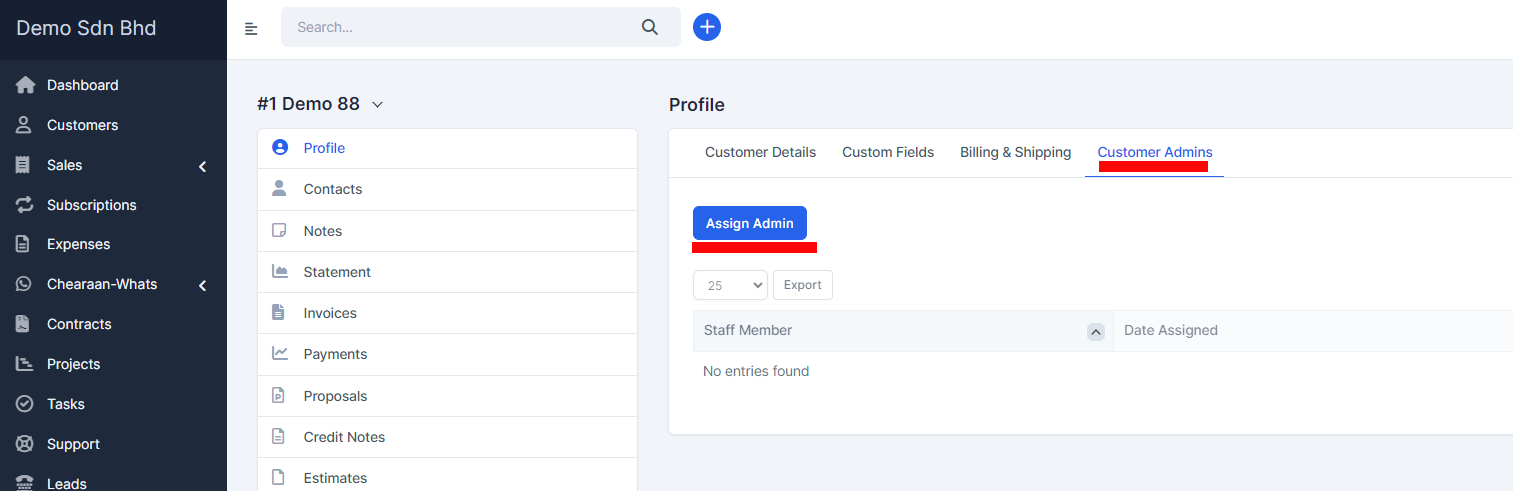
Click on the assign admin button and choose the member/s you want to be assigned as admins to this specific customer.
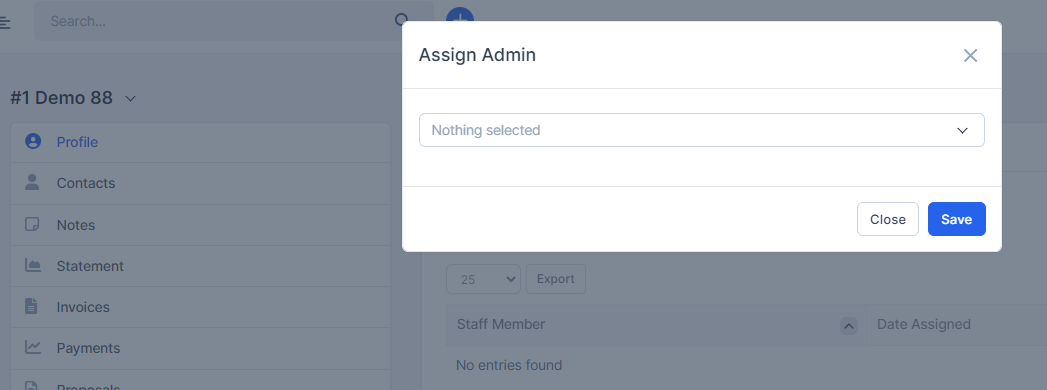
Save the changes.

The member/s you assigned will be able to see now this customer together with the Customer menu item without having the permission for customers VIEW.

Did you find this article useful?

  • New Customer Contact

    New Contact To create new customer contact, open the customer profile in the admin area that you wan...
  • New Customer

    Login to dashboard click customers and on the left side there is a button New Customer. Permis...
  • Send contact set password link

    Follow the steps if you want to send set password link to your contact. 1. When creating new co...
  • Customer Reminders

    With Accentra you have option to set customer reminder. This option allows you to never forget anyth...
  • General Customer Report

    Customer report can be generated from the Reports feature. Select Report type Cu...