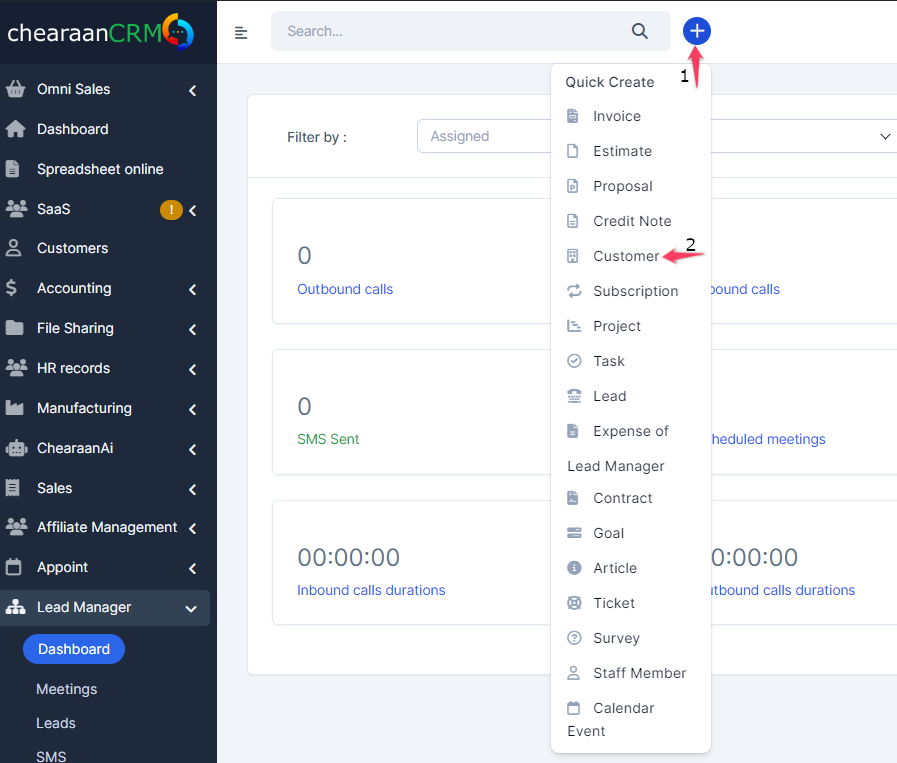
Login to dashboard click customers and on the left side there is a button New Customer.
- Permissions – What permission this customer will have in the customers portal. Ex if you turn of the support system the customer wont be able to use the support system. While in piping will be able to use it.
- Billing & Shipping – This information are used for invoices/estimates. If your customer have different shipping address for invoice you will need to populate also the shipping fields which will be also auto included when creating new invoice.
- Advanced Options – As advanced options are listed several field.
- Groups – Sort your customer into group after that you will be able also to generate reports by groups and see which customer groups is the most valuable.
- Currency – If this currency is not the system default currency when you add estimate/invoice and select the customer the currency will be auto changed regarding to what is selected in this field. NOTE: You wont be able to change the custom currency if there is transactions found.
- Language – If you have multiple languages you can easily change the customer language. So when the customer will login and have setup different language then the system default everything will be translated based on your translation for this language.
- By default all customer PDF data generated from the admin area are generated in the system default language. If you want to generate in the customer language you can easily go to Setup->Settings->Localization and set Output client PDF documents from admin area in client language to Yes
Fill all the necessary data and click save.
You can also choose if you want to send the Welcome client email template which is configured in Settings Menu -> Email Templates in clients part.
Now your client can login in the clients area from the url www.yourdomain.com/yourcompanyid/clients/login
You can add new customers very quickly from the Quick Insert button on the top bar menu.