Overview
The Emoji Picker feature in Chearaan-Whats allows users to easily select and send emojis within chat messages, enhancing communication with expressive symbols. This feature is integrated directly into the chat interface for quick access. 😊
How to Use
1. Accessing the Emoji Picker
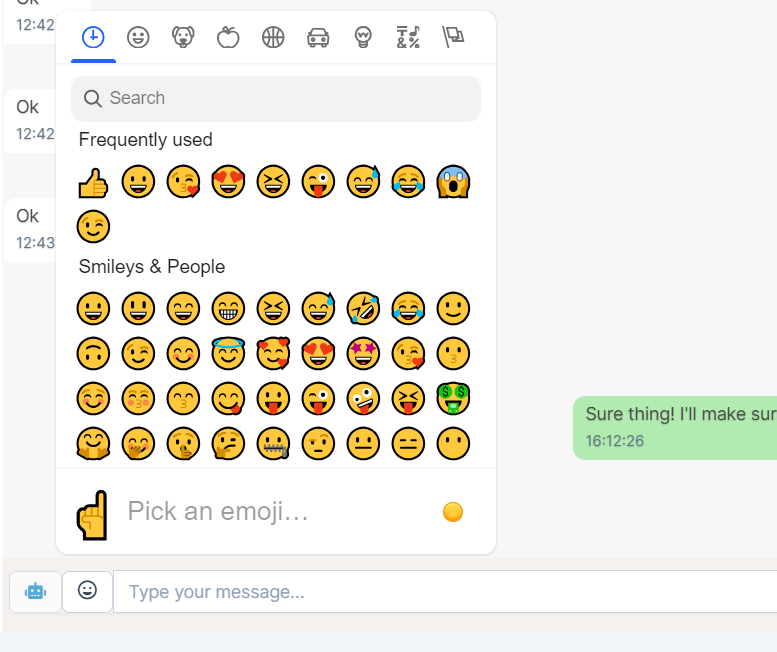
- In the chat interface, click on the smiley face icon 😊 located next to the text input field. This will open the emoji picker.
2. Selecting an Emoji
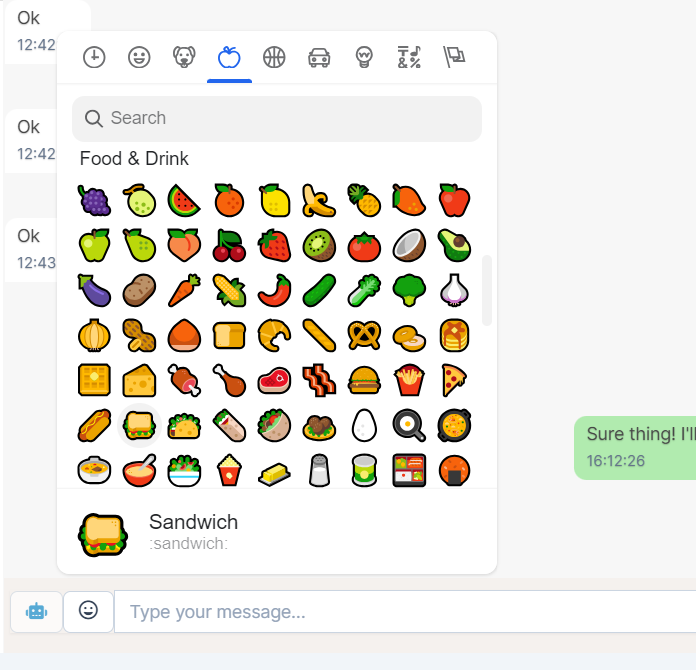
- The emoji picker displays a wide variety of emojis categorized into sections like "Frequently Used," "Smileys & People," and more.
- You can scroll through the categories at the top to find the desired emoji.
- Alternatively, use the search bar 🔍 within the emoji picker to find specific emojis by typing relevant keywords.
3. Inserting Emojis into Messages
- Click on the emoji you wish to use. It will automatically be inserted into the text input field.
- You can add multiple emojis to your message by repeating the selection process. 😎👍
- Once your message is ready, hit the "Enter" key or click the send button 🚀 to send your message with the selected emojis.
4. Recent Emojis
- The emoji picker also displays your "Frequently Used" emojis at the top for quick access to your most commonly used symbols. 🕒
Notice
The emoji picker is designed to be user-friendly and works seamlessly across different devices, ensuring that your messages are always expressive and fun. 🎉.