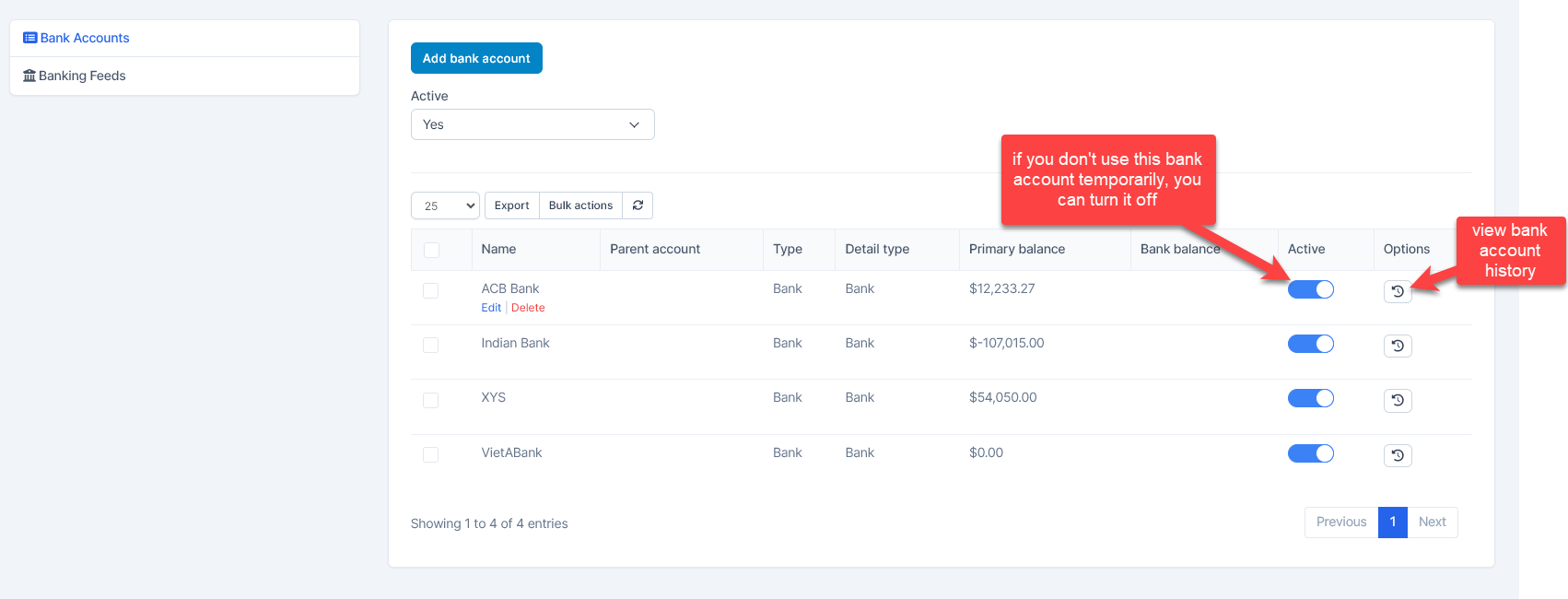
Used to manage and create the bank accounts.
Bank account list
Create bank account
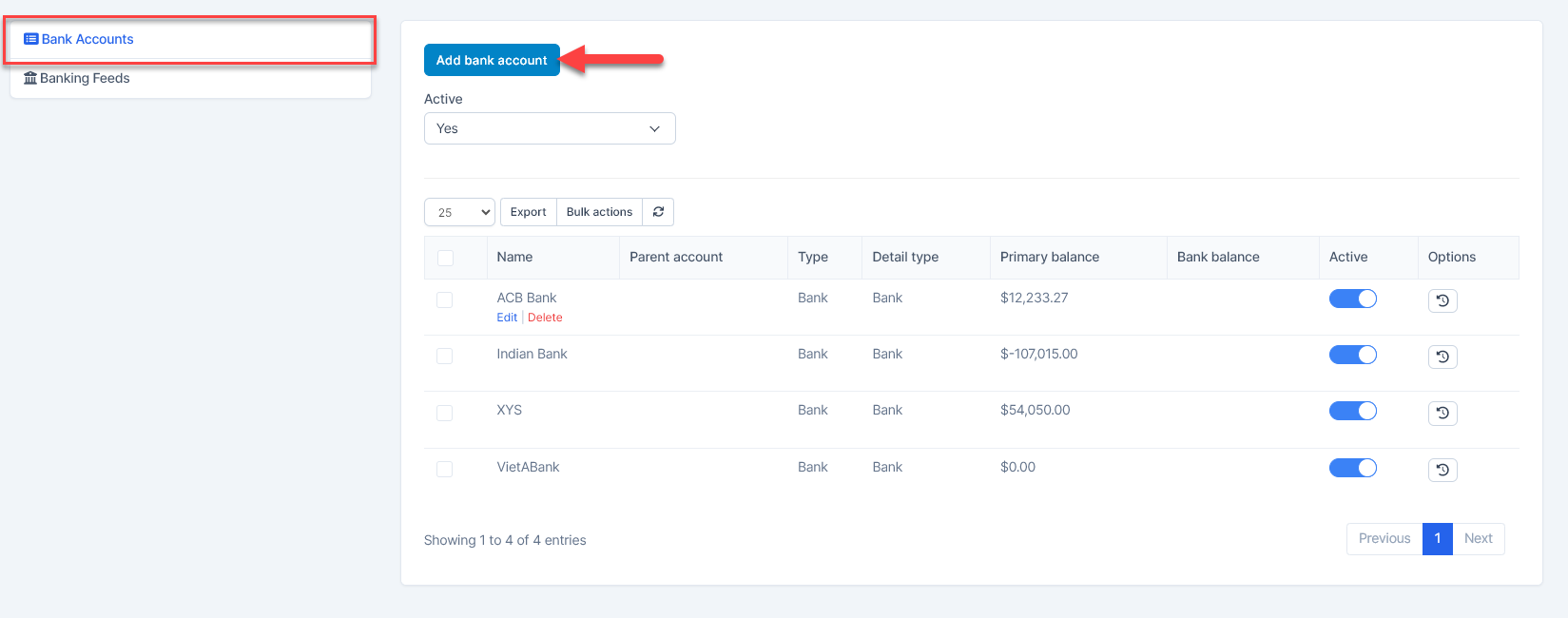
- Step 1. Go to the Banking menu under the Accounting module in the left sidebar -> Select the Bank Accounts menu
- Step 2. Click on the Add bank accounts button
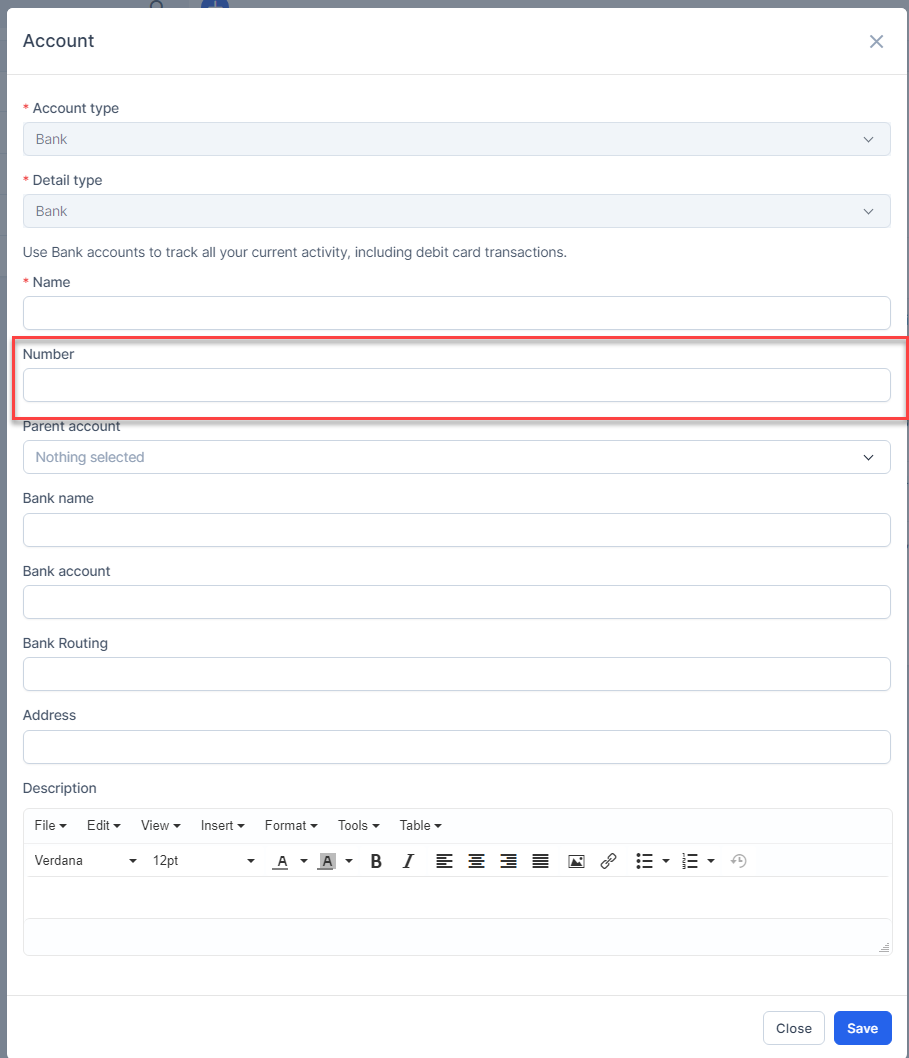
- Step 3. In the Account popup, fill in the following detail
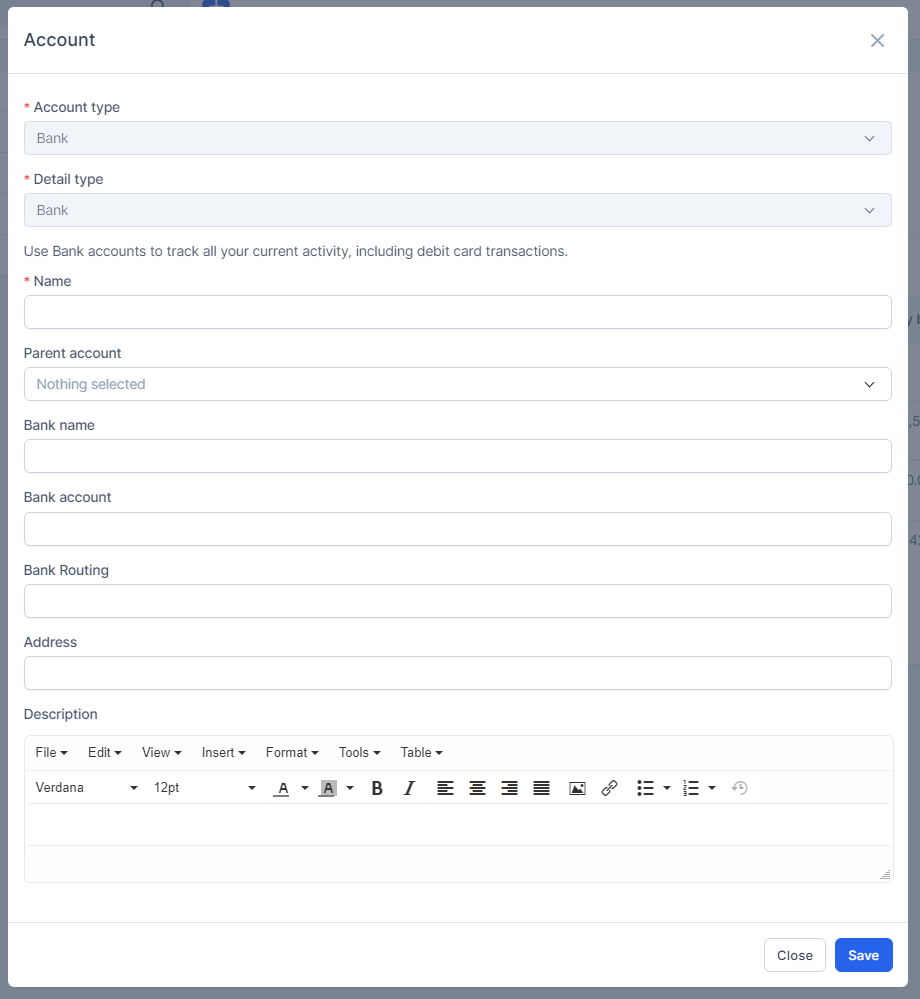
1. Enter the Name
2. Select the Parent account
3. Enter the Bank name
4. Enter the Bank account
5. Enter the Bank Routing
6. Enter the Address
7. Enter the Description
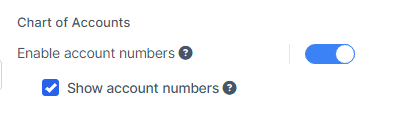
If you want to enter the number for the bank account, and show the bank account number on the Banking , Reports and Transactions page, you must enable Enable account numbers and Show account numbers.
- Step 4. Click on the Save button
Delete bank account
Only bank accounts with no transactions can be deleted.