Income Statement Modification: used to create a row in the income statement and make a formula for that row
Reset Income Statement Modification: It will delete all data income statement modification and recreate based on income account list.
Apply income statement modifications:
· If enabled, activated rows will be displayed in the report.

1. Management
We have default accounts of Income type
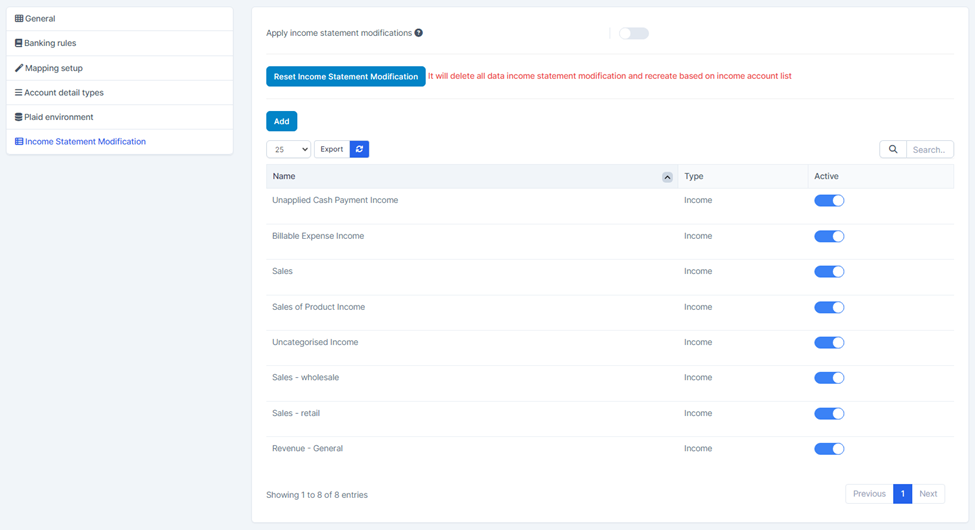
2. Create
· Step 1. Go to Settings menu under Accounting module from the left sidebar
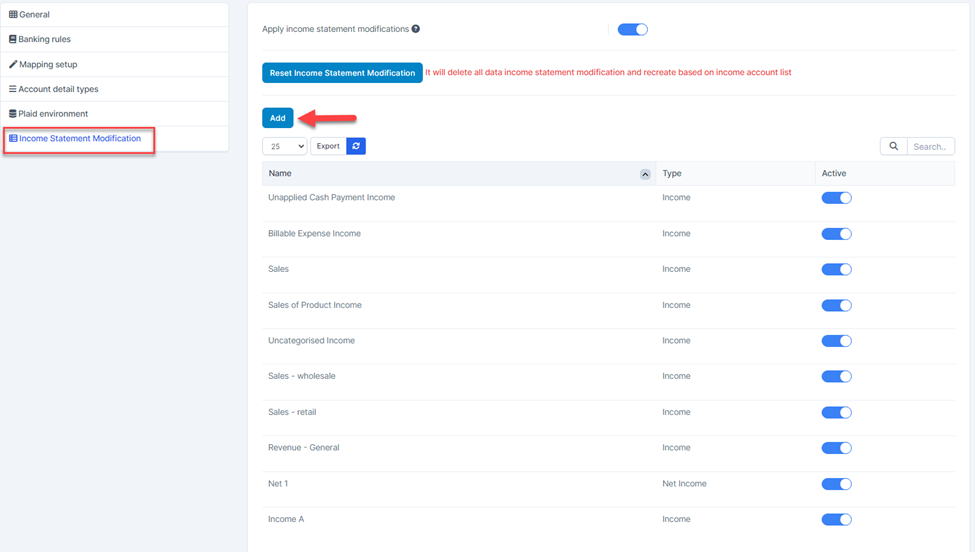
· Step 2. Click the Income Statement Modification menu
· Step 3. Click Add button
In the Income Statement Modification page, fill in the following details:
- Enter the Name of the income statement row
- Select a type: Income or Net Income
Click  to add expression (+, -, *, /) and choose an account
Click  to remove an expression.
Click to remove an expression.
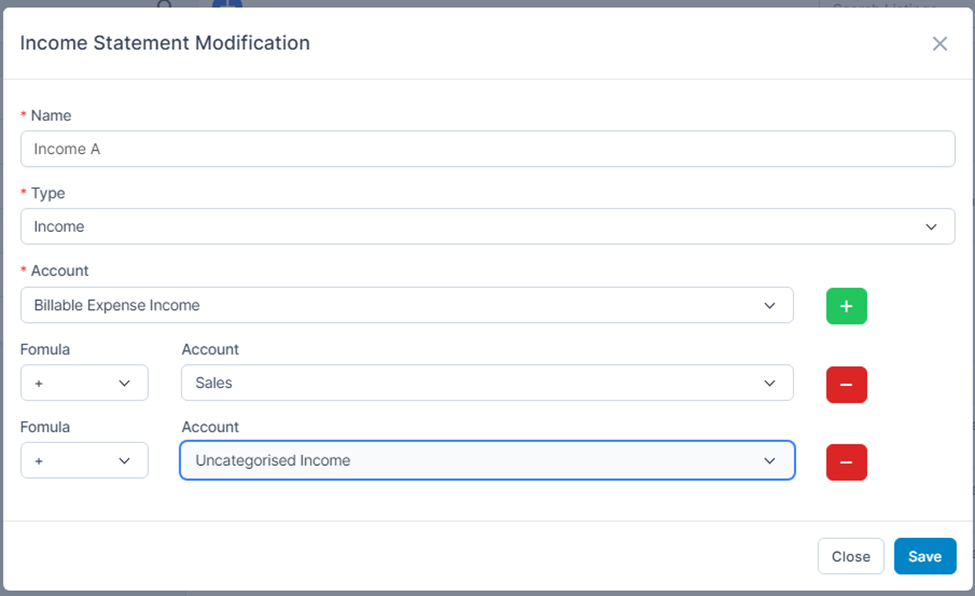
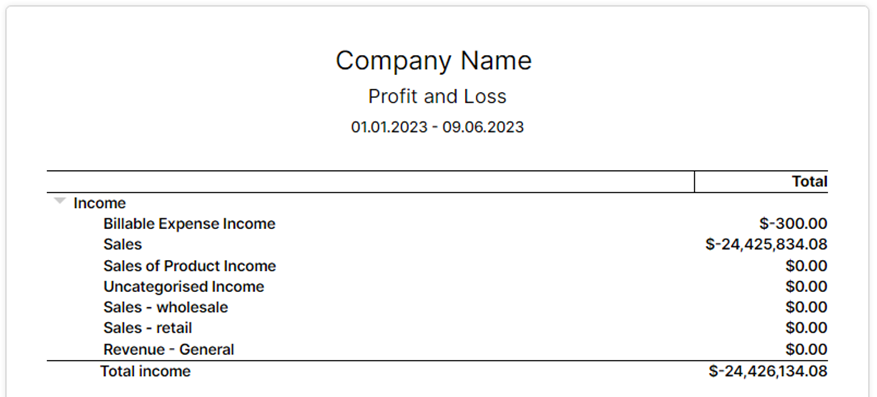
formula: Income A = Billable Expense Income + Sales + Uncategorized Income.
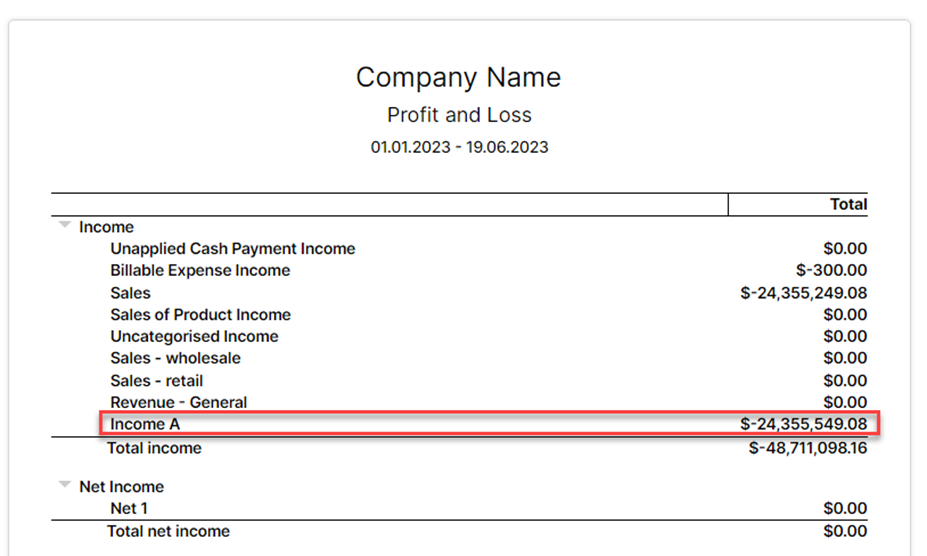
Reports affected:
· Balance Sheet Comparison
· Balance Sheet Detail
· Balance Sheet Summary
· Balance Sheet
· Statement of Cash Flows
· Profit and Loss
· Profit and Loss comparison
· Profit and Loss year-to-date comparison
· Profit and Loss trailing 12 months
· Profit and Loss as % of total income
Enable/Disable row
When enabling/disabled a line, it affects the data of reports
Enable Apply income statement modifications and row so it shows up on the report.
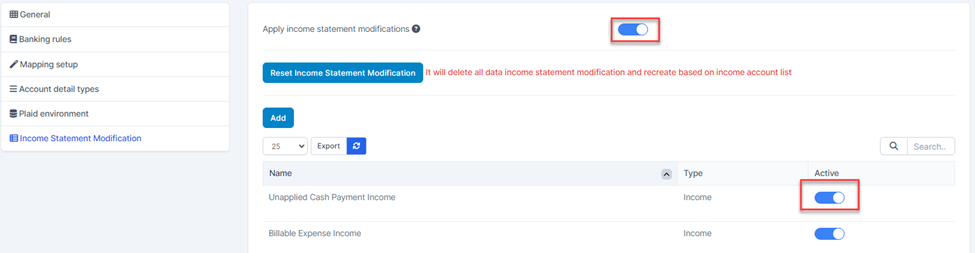
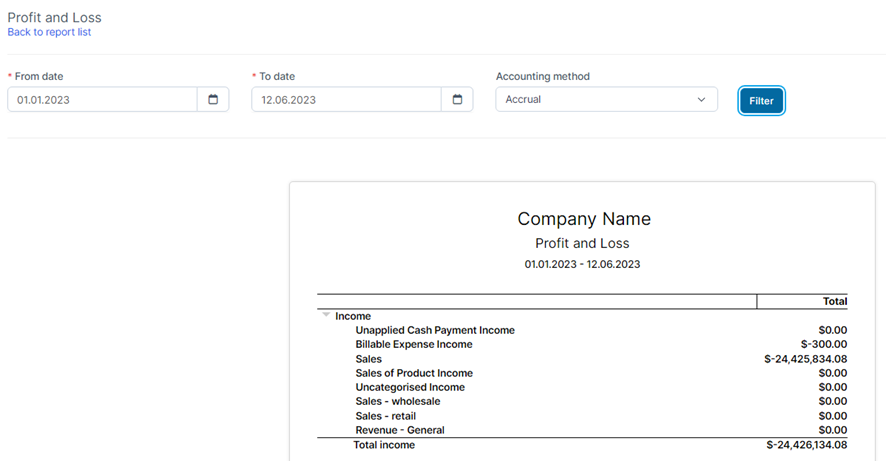
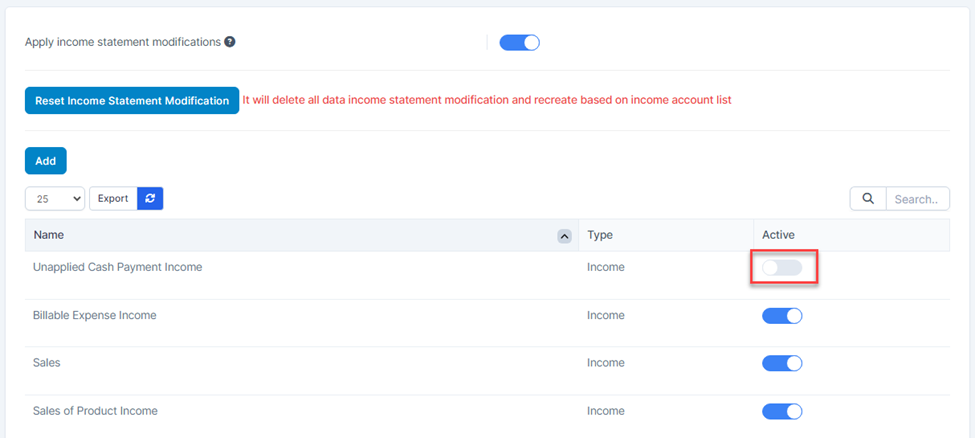
Disable the row so it doesn’t show up on the report
3. Edit
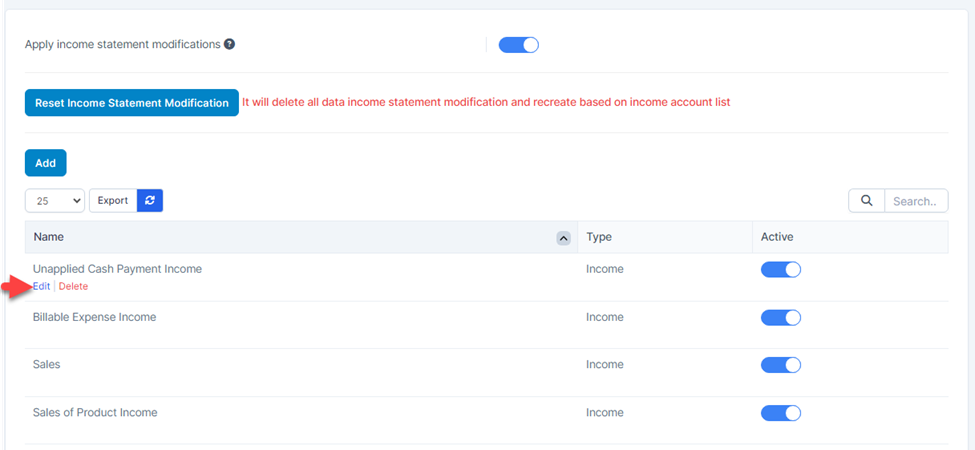
To edit a row:
· Step 1. Go to Settings menu under Accounting module from the left sidebar
· Step 2. Click the Income Statement Modification menu
· Step 3. Hover over the row that you wish to edit and click Edit
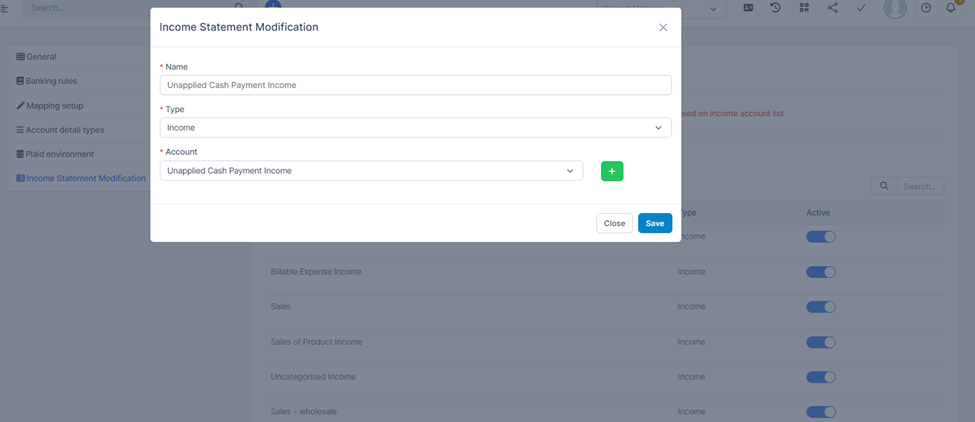
· Step 5. Click Save
4. Delete
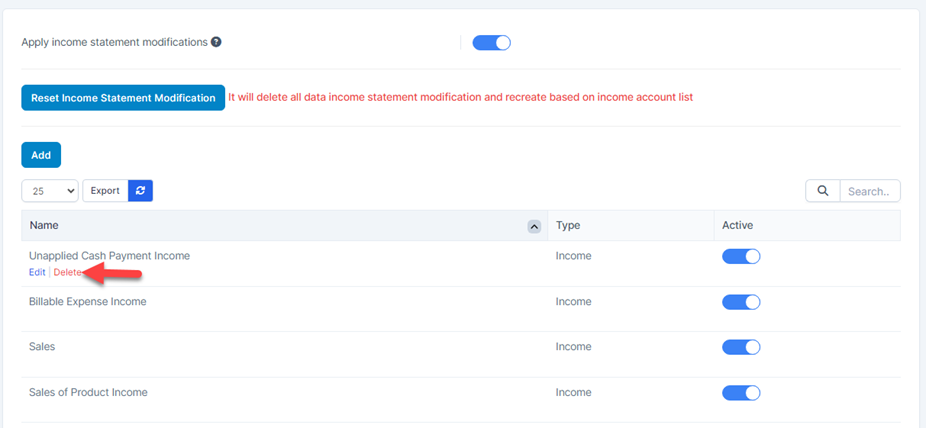
To delete a row from report :
· Step 1. Go to Settings menu under Accounting module from the left sidebar
· Step 2. Click the Income Statement Modification menu
· Step 3. Hover over the row that you wish to delete and click Delete