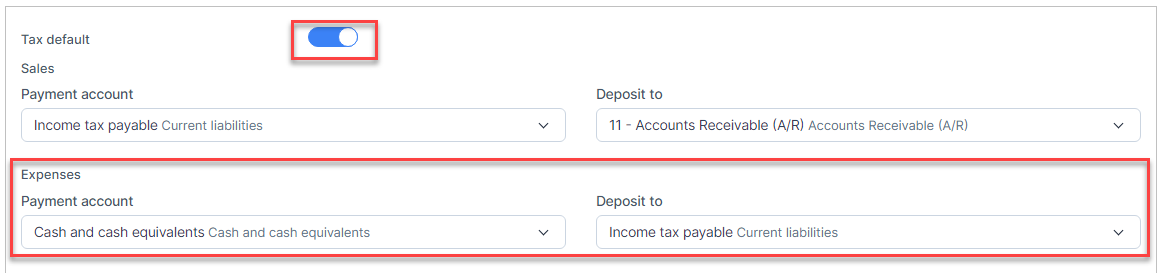
Step 1. Enable the Expense default and Tax default so expenses tax is mapped to the accounts

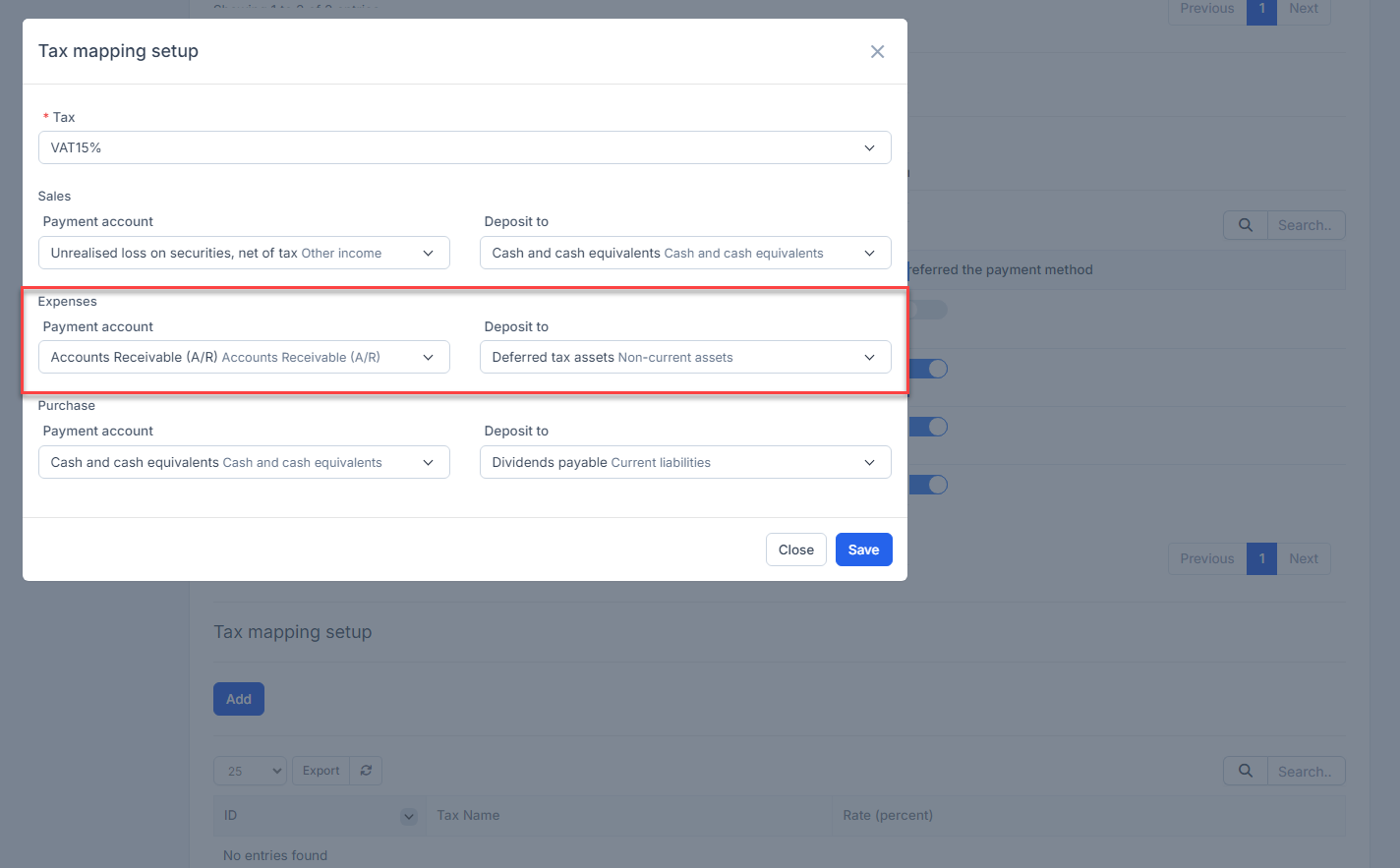
Step 2. Create the Tax mapping setup for VAT15%
Step 3. Create the expense and select one or more taxes
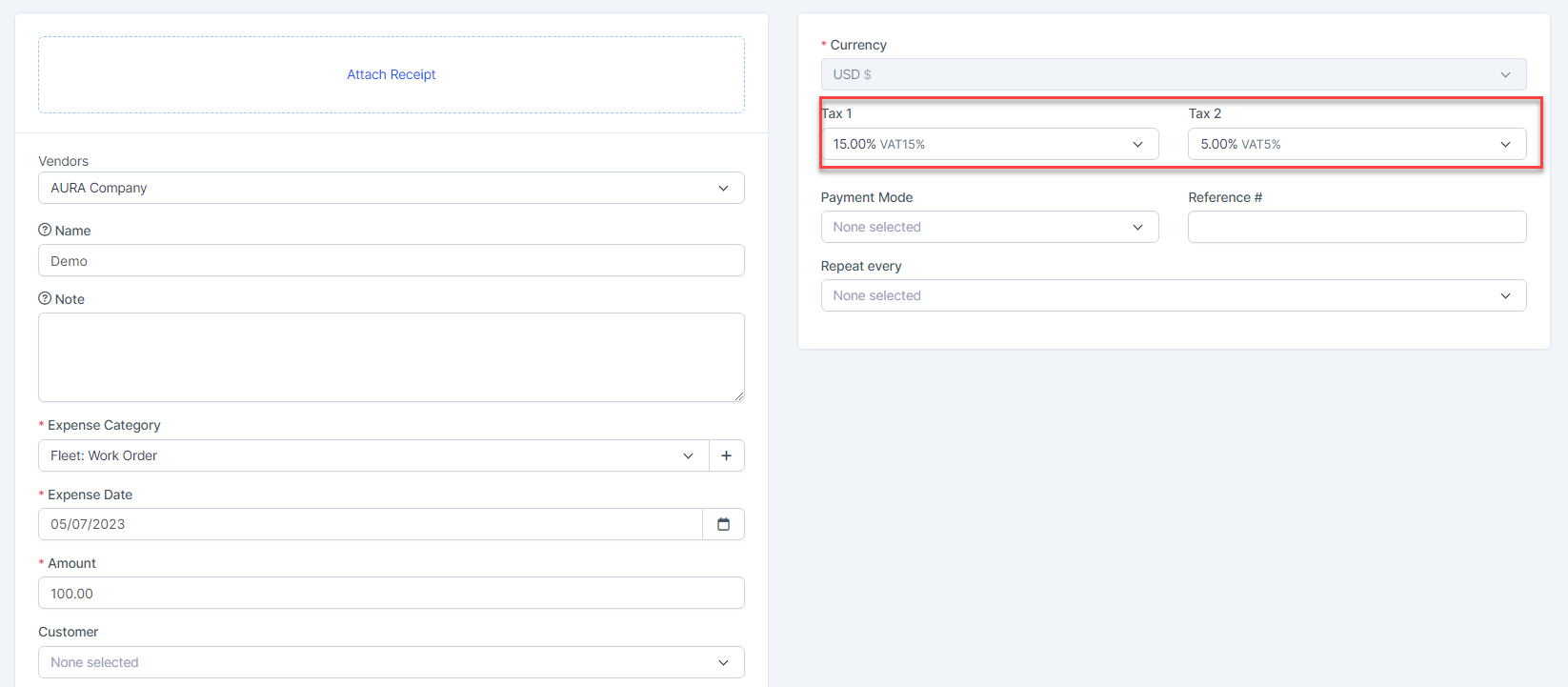
Result:
VAT15% mapped according to Tax mapping setup
VAT5% mapped according to Tax default

- NOTE:
- If Tax default is turned off, the tax cannot be mapped to the account but the expense amount is still mapped normally.
- If Expense default is turned off, expense is not automatically mapped.
- For SST, make sure a proper name and correct TAX rate is used.